
Maryland Restaurant Week 2026: Where to Eat in Harford County and Around BaltimoreHungry for a reason to try somewhere new? Maryland Restaurant Week 2026 is underway, and several restaurants in Bel

Dated: December 16 2024
Views: 101
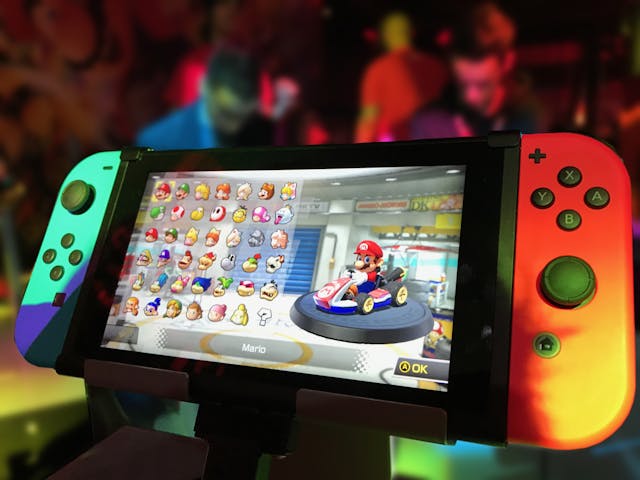
Pros and Cons of Gaming Systems Versus Gaming Computers
When it comes to gaming, choosing the right platform can make all the difference in your experience. The two primary options are gaming systems (also known as gaming consoles) and gaming computers (PCs). Both have their advantages and drawbacks, and the right choice depends on your preferences, budget, and gaming needs. In this blog post, we’ll explore the pros and cons of each to help you decide which one is right for you.
Gaming systems are purpose-built devices designed specifically for gaming. Popular consoles include the PlayStation 5, Xbox Series X, and Nintendo Switch. Here are their strengths and weaknesses:
Ease of Use
Gaming systems are plug-and-play devices. Simply connect to your TV, insert a game, and start playing. There’s no need for technical knowledge or setup.
Cost-Effective
Consoles are often more affordable upfront compared to gaming PCs. For example, a PlayStation 5 costs around $499, while gaming PCs with comparable performance can cost significantly more.
Exclusive Titles
Many consoles feature exclusive games not available on PC, such as The Last of Us (PlayStation), Halo Infinite (Xbox), and The Legend of Zelda: Breath of the Wild (Nintendo).
Optimized Performance
Games on consoles are optimized for the hardware, ensuring smooth gameplay without the need for manual adjustments like tweaking graphics settings.
Durability
Consoles are designed for gaming and tend to be more durable. Unlike PCs, they don’t require frequent upgrades to keep up with new games.
Limited Customization
Consoles are locked systems with little to no ability to upgrade hardware. This means you’re stuck with the same specifications throughout the console’s lifecycle.
Subscription Costs
Online multiplayer gaming often requires paid subscriptions like PlayStation Plus or Xbox Live, adding to long-term costs.
Performance Limitations
While consoles are optimized for gaming, they can’t match the raw performance of high-end gaming PCs, especially for tasks like high-resolution gaming or VR.
Less Versatility
Consoles are primarily designed for gaming and entertainment (e.g., streaming services). They lack the versatility of PCs for productivity tasks like editing videos or coding.
Gaming computers are powerful, customizable devices designed to handle a wide range of tasks. From casual gaming to professional esports, they offer flexibility and raw power. Let’s dive into the pros and cons:
Superior Graphics and Performance
Gaming PCs can deliver superior graphics quality, higher frame rates, and support for technologies like ray tracing and 4K gaming.
Customizability
PCs allow users to upgrade components such as the graphics card, processor, and RAM. This ensures you can keep up with the latest gaming technology without buying a new device.
Massive Game Library
The PC platform offers access to a vast library of games, including indie titles, early access games, and retro classics. Services like Steam, Epic Games Store, and GOG provide extensive catalogs.
Versatility
Beyond gaming, PCs can be used for productivity tasks like graphic design, video editing, and streaming. This makes them a better investment for users with diverse needs.
Free Online Multiplayer
Unlike consoles, most PC games don’t require a paid subscription for online multiplayer. Platforms like Steam and Epic Games allow free online play for many titles.
High Initial Cost
Gaming PCs require a significant upfront investment. A high-performance setup can cost $1,000 or more, not including peripherals like monitors and keyboards.
Complex Setup
Building or buying a gaming PC can be intimidating for beginners. From selecting components to managing software updates, there’s a learning curve.
Maintenance and Upgrades
PCs require regular maintenance, such as cleaning to prevent overheating and updating drivers. Upgrading components can also be costly and time-consuming.
Portability
Gaming PCs are often bulky and not easily portable. While gaming laptops are an option, they tend to be more expensive and may not match the performance of a desktop setup.
Compatibility Issues
Unlike consoles, where games are designed to work seamlessly, PC gamers may encounter compatibility issues, requiring tweaks or troubleshooting.
| Feature | Gaming Systems | Gaming Computers |
|---|---|---|
| Cost | Lower upfront cost, but ongoing fees | Higher upfront cost, no subscription |
| Performance | Optimized for games, but limited power | Superior graphics and customization |
| Game Library | Exclusive titles | Larger library with indie options |
| Ease of Use | Plug and play | Requires setup and maintenance |
| Upgradability | None | Fully customizable |
| Online Multiplayer | Requires subscription | Free for most games |
You want a simple, hassle-free gaming experience.
Your budget is limited.
You’re interested in exclusive console titles.
You prioritize family-friendly or couch co-op gaming.
You’re a hardcore gamer who values performance and graphics.
You want the ability to upgrade hardware over time.
You’re looking for a multi-purpose device for gaming, work, and entertainment.
You enjoy playing indie games or modding popular titles.
The debate between gaming systems and gaming computers ultimately comes down to personal preference. Consoles offer simplicity and affordability, making them ideal for casual gamers and families. PCs, on the other hand, deliver unmatched performance, customization, and versatility for those willing to invest time and money.
No matter which you choose, the most important thing is to enjoy your gaming experience. Explore your options, assess your needs, and dive into the world of gaming. Happy gaming!
Which platform do you prefer and why? Share your thoughts in the comments below!

With over 30 years of dedicated real estate experience, Robert McArtor has built a reputation as one of Maryland’s most respected and trusted real estate professionals. Licensed since 1991, Robertâ€....
Maryland Restaurant Week 2026: Where to Eat in Harford County and Around BaltimoreHungry for a reason to try somewhere new? Maryland Restaurant Week 2026 is underway, and several restaurants in Bel
Selling Your Maryland Home This Fall? Get These 4 Things RightThinking about selling your home in Harford County, Baltimore County, Cecil County, or the surrounding Maryland area this fall? You'
Maryland Housing Market Slows in August 2026: What Buyers and Sellers Need to KnowMaryland home sales lost some momentum in August 2026, but limited housing inventory continues to support home.
Selling Your Maryland Home This Fall? You Haven't Missed Your WindowWhy Fall 2026 Could Still Be an Excellent Time To Sell in Harford, Baltimore & Cecil CountySummer is winding down.School is
 © BRIGHT, All Rights Reserved
Information Deemed Reliable But Not Guaranteed
The data relating to real estate for sale on this website appears in part through the BRIGHT Internet Data Exchange program, a voluntary cooperative exchange of
property listing data between licensed real estate brokerage firms in which
participates, and is provided by BRIGHT through a licensing agreement.
The information provided by this website is for the personal,
non-commercial use of consumers and may not be used for any purpose other than to identify prospective properties consumers may be interested in purchasing.
Data last updated: September 22, 2026 3:12 PM UTC
Some properties which appear for sale on this website may no longer be available
because they are under contract, have Closed or are no longer being offered for sale.
Some real estate firms do not participate in IDX and their listings do not appear on this website. Some properties listed with participating firms do not appear on this website at the request of the seller.
Show More...
